Is your Astro site server-rendered? (Almost certainly yes)
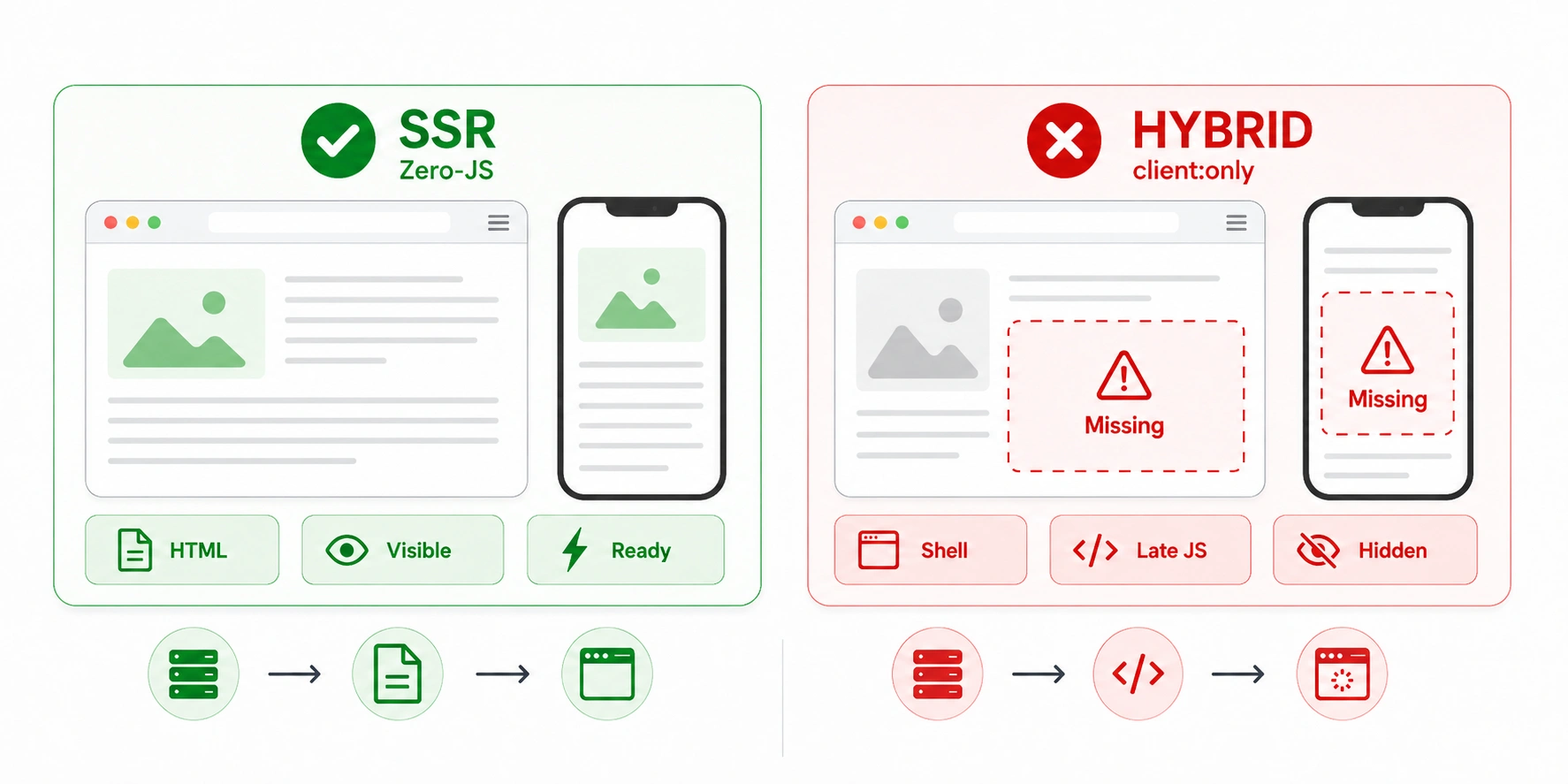
client:only island, which skips server rendering entirely. Other client directives —client:load, client:visible — still render to HTML on the server.Astro is the inversion of the React and Next.js situation. There, the default risk is that primary content is assembled client-side and missing from the HTML. With Astro that failure is not the default — you have to go out of your way to create it. So this page is mostly reassurance, plus the two narrow patterns that can actually strand content.
Why Astro's default is safe
Astro is built around islands architecture: the page is static HTML, and interactivity is added only to specific components that need it. By default, every component — including ones written in React, Vue, Svelte or Solid — is rendered to plain HTML at build time and stripped of its client-side JavaScript. Nothing ships to the browser unless you ask for it.
The practical consequence for this check: an Astro page's content is in the raw HTML because there is no other place for it to be. The tool will typically report a content ratio at or near 100%, all your links present, and your metadata intact — before any JavaScript runs, because usually no JavaScript runs at all.
The client:* directives (all but one are safe)
The client:* directive family marks a component as an interactive island. Here is the point that matters for SEO and gets misunderstood: most of these directives do not remove the component from the server-rendered HTML. They only decide when the JavaScript attaches to hydrate it.
client:loadIn HTMLclient:idleIn HTMLclient:visibleIn HTMLclient:mediaIn HTMLclient:onlyNot in HTMLSo a component marked client:visible — a carousel, a comment widget, an interactive chart — is fully present in the HTML a crawler reads. Its interactivity arrives later, but its content and markup are there from the first byte. Only client:only is different.
The client:only trap
This is the one Astro pattern that reliably strands content. client:only tells Astro to skip server rendering for that component and render it exclusively in the browser. It exists for components that genuinely cannot render on the server — ones that reach for window immediately, or a third-party widget that breaks under SSR.
The trap is using it for content that matters. If your article body, product listing or main copy lives inside a client:only island, that content is absent from the HTML and invisible to first-pass crawlers and to AI crawlers that do not execute JavaScript — the exact failure Astro otherwise avoids by design. The rule is simple: reserve client:only for non-content UI, and never wrap primary copy in it.
client:only island holding real content is the first thing to look for. Compare the raw and rendered panes — whatever appears only in the rendered screenshot and not in the raw HTML is what got stranded.Server islands and the fallback slot
A newer pattern worth knowing about, because it produces a HYBRID result that is sometimes intended and sometimes not. Marking a component with server:defer turns it into a server island: Astro renders the rest of the page immediately and defers that component, injecting whatever you put in its slot="fallback" as a placeholder. The real component is fetched from a special endpoint after the page loads.
For a crawler, the initial HTML contains the fallback, not the deferred content. That is fine for personalised or non-indexable pieces — a logged-in avatar, a per-user greeting — which is what server islands are for. It is a problem if you defer something that needs to rank. Check that anything indexable is rendered normally rather than deferred.
Your configuration and the verdict to expect
Find your setup. On Astro, a HYBRID or CSR result is unusual and almost always points to one of the two island patterns above.
When Astro actually breaks
Because the default is so safe, an Astro page that fails this check almost always fails for one of a short list of reasons:
Astro rendering FAQ
Yes, in the sense that matters for SEO. Astro renders pages to complete HTML — statically at build time by default, or on demand if configured — and ships zero client-side JavaScript unless you opt in. Crawlers receive full content without executing any JavaScript, which is why Astro is considered strong for SEO out of the box.