Is your React app server-rendered, or a client-only SPA?
This is the opposite of the Next.js situation, where server rendering is the default and the question is which route broke it. With plain React the question is whether you have server rendering at all — and for most setups the answer is no.
The empty shell signature
A client-only React app has a recognisable fingerprint in the raw HTML. Roughly:
That is the entire page as far as a crawler is concerned. The checker will report a content ratio near zero, zero or very few links, and typically a missing or placeholder title. The rendered screenshot will show your full site, which is what makes this so counterintuitive to diagnose by eye — everything looks fine in a browser.
Worth knowing: id="root" is a convention, not a requirement. Some setups use id="app" or a custom value. The signature is the emptiness, not the specific id.
CRA, Vite and React Router behave differently
Three common starting points, three different situations — though two of them end up in the same place.
Why deep links fail worst
This is the React-specific failure that does the most damage, and it has no real equivalent on a server-rendered framework.
A client-only React app usually deploys with a catch-all rewrite: every path returns the same index.html, and React Router decides what to show once JavaScript boots. That is what makes deep links work for users at all.
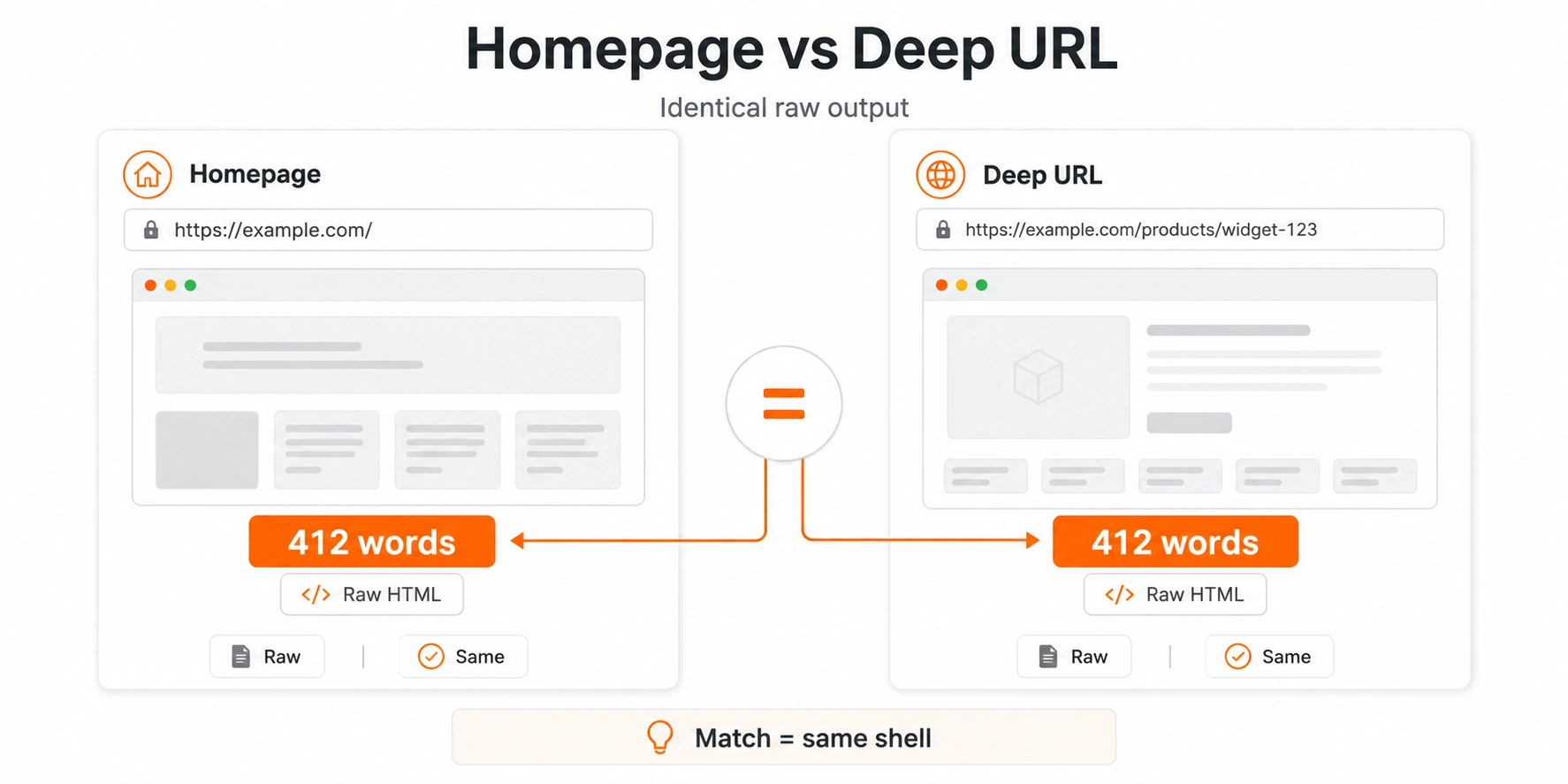
For a crawler, it means every URL on your site returns byte-identical HTML. Your homepage, your product pages, your articles — all the same empty shell with the same title. From the first pass, there is no way to distinguish them and nothing to suggest any of them is worth rendering.
react-helmet cannot fix this
A very common misunderstanding, and an expensive one because it feels like a fix.
react-helmet and react-helmet-async set the document title and meta tags from within your components. That happens when React runs — which is after the crawler has already captured the initial HTML. The tags are correct in the browser and absent in the raw response.
The checker reports title, description and canonical separately from body content precisely so you can see this. A page can have perfect metadata in the rendered DOM and none at all in the raw HTML.
Helmet is not useless — it does the right thing once the page is rendered, and in a server-rendered React setup it can emit tags into the server output. But in a client-only app it cannot put anything in the first response, because nothing of yours runs before that response is sent.
Your setup and the verdict to expect
Find your configuration. A result that differs from the expectation is worth investigating.
Your options, in order of durability
The fourth option is a real one and gets dismissed too quickly. Not every React app needs to rank. The problem is arriving at that conclusion by accident rather than by decision.
React rendering FAQ
No. React on its own is a client-side library. Create React App and the default Vite React template both produce a static HTML shell that JavaScript fills in after loading. Server rendering requires a framework such as Next.js or React Router in framework mode, or a custom server using React's server rendering APIs.