Is your WordPress site rendering content? (Classic WordPress: yes)
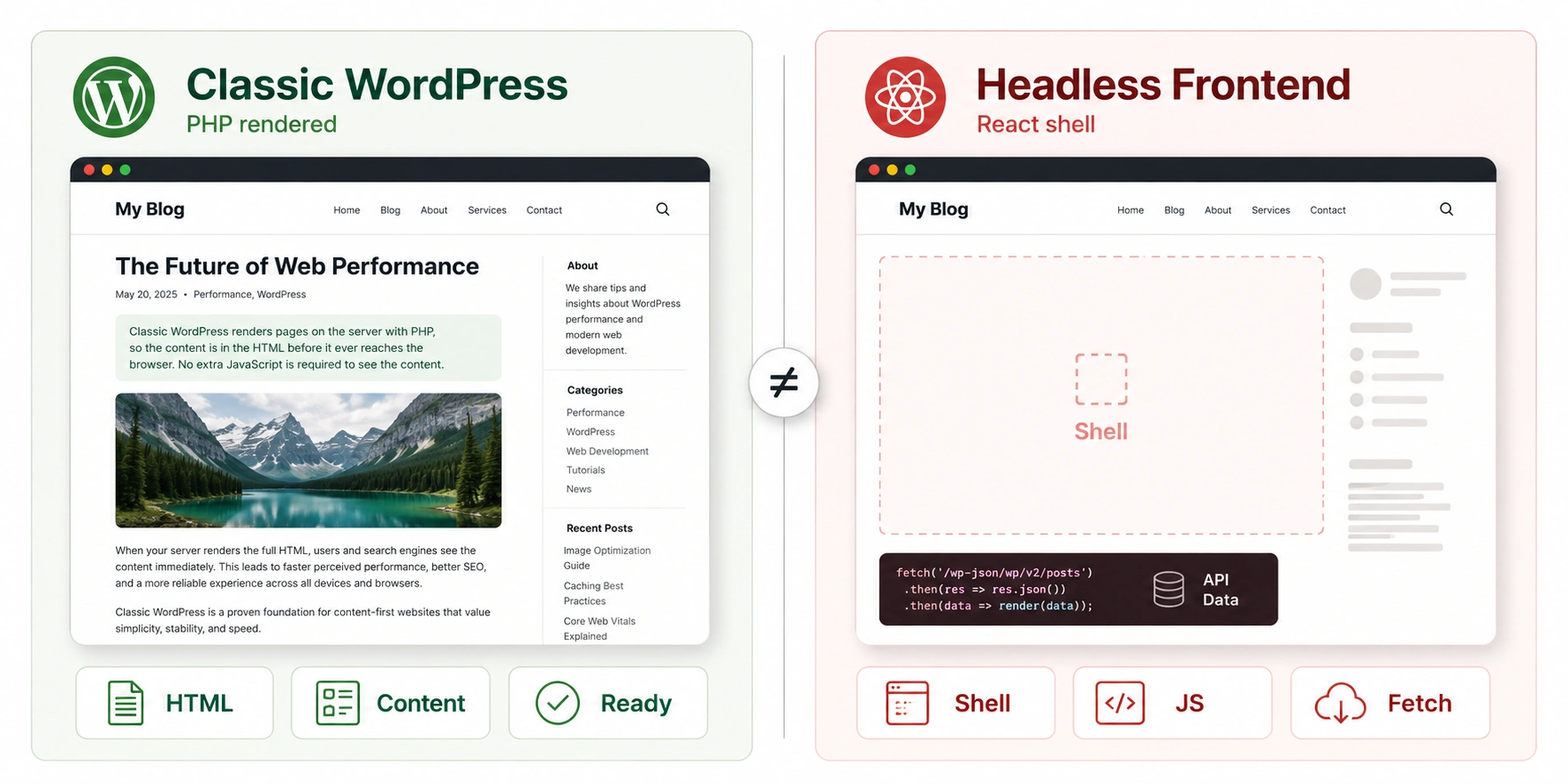
WordPress is the one platform in this set rather than a JavaScript framework, and that changes the whole diagnosis. There is no client-side rendering step in classic WordPress to go wrong — PHP builds the page and sends finished HTML. So the question is never "does WordPress server-render?" It always does. The question is whether something has been bolted on top that moves content out of that HTML.
Why classic WordPress is safe by default
A standard WordPress request runs PHP on the server: it loads the theme, runs the template for that content type, pulls the post from the database, and assembles the complete HTML — post title, body, metadata, navigation — before a single byte reaches the browser. The block editor (Gutenberg) stores content as markup that PHP renders server-side just the same. Nothing waits on client-side JavaScript.
For this check, a classic WordPress page returns a content ratio at or near 100% with metadata present, because there is no other place the content could be. If your site is a normal theme with normal content, you can stop here — it is server-rendered, and the check will confirm it in seconds.
Headless WordPress changes everything
This is the big one, and the reason a WordPress site can fail this check badly. In a headless setup, WordPress stops being the thing that renders your site. It becomes a content API — exposed through WPGraphQL or the built-in REST API at /wp-json — and a completely separate frontend, usually built with React, Next.js, Nuxt or similar, renders the actual pages your visitors see.
Page builders and lazy-loaded sections
Elementor, Divi and WPBakery normally output rendered HTML on the server like any other theme — using a builder does not by itself move content out of the HTML. The problem is the JavaScript features people enable inside them. A section set to lazy-load, a "load more" posts widget, a tabbed container that only mounts its panels on interaction, or an animation that hides content until scroll — these inject or reveal content client-side, so it is not in the initial HTML.
A builder page usually reads green for the above-the-fold content and HYBRID when a meaningful section is JS-loaded. If a builder page comes back HYBRID, look for the widget that is set to defer, and turn that behavior off for anything that needs to rank.
AJAX themes and infinite scroll
Some themes — particularly magazine, portfolio and listing themes — load post content or archive listings through AJAX calls to admin-ajax.php after the initial page paints. Infinite-scroll archives are the common example: the first few posts are in the HTML and the rest arrive as you scroll, fetched by JavaScript. Crawlers get the initial batch and nothing past it, so deep archive content and any post that relies on an AJAX load can be invisible. Pagination that produces real, crawlable URLs is the fix, not endless client-side loading.
Optimization plugins that go too far
Performance and lazy-load plugins can overreach. Aggressive lazy-loading applied to text as well as images, "delay JavaScript" features that push content-bearing scripts past first paint, and some caching plugins' optimization modes can move content out of the immediately available HTML in the name of a faster paint score. If your check result got worse after installing or tightening an optimization plugin, that plugin is the first suspect — dial back the lazy-loading of actual content while keeping it for below-the-fold images.
Your configuration and the verdict to expect
Find your setup. On WordPress, an amber or red result almost always means JavaScript has been layered onto the page, not that WordPress stopped server-rendering.
When WordPress actually breaks
WordPress rendering FAQ
Classic WordPress is server-rendered by nature. Each request runs PHP on the server, which loads the theme, pulls the content from the database, and assembles the complete HTML before sending it. There is no client-side rendering step, so crawlers receive the full page without executing any JavaScript.